✈️Mask -> Generate -> Re-mask

Remove Tourists from Photos

Start with one rule: fully mask the people you want removed, including edges and shadow zones, then generate and inspect. If people remain, mask the leftovers and run another round. In ultra-crowded scenes like Times Square, one pass is usually not enough, and that is normal. The system follows the default prompt logic to replace marked people with scene-consistent background fill and reduce obvious edit traces.

Remove Tourists from PhotosReal Estate CleanupGroup Photo Cleanup
🎁Beta Early Access: Enjoy 4 FREE daily generations (Fast Model)! No login required.
First time here? Watch 30s tutorials
Learn correct masking for higher success rate

After uploading, fully mask the whole person (including edges/contact areas), then generate.
If masking is incomplete, leftovers are common. Regenerate first, then switch to Pro or add small prompt refinements on top of the default prompt.

Full-person masking gives reliable first passes

Most failures come from partial masking. Cover the full person you want removed before generating.

Crowded scenes are multi-round by design

For heavy crowds, use multiple large masks to clear the main groups first, then re-mask remaining people in follow-up rounds.

Switch to Pro when leftovers persist

If repeated rounds still leave visible people, move to Pro and continue the same masking workflow.

Before and After: Remove Tourists from Travel Photos

Times Square Crowd: Clear as Many People as Possible

Input issue: extreme crowd density with a goal to remove nearly everyone. Mask strategy: use multiple large masks to fully cover main crowd clusters, then run one generation pass. Next step: if people remain, mask leftovers and regenerate. Model strategy: start with Fast and switch to Pro when residual people remain after multiple rounds.
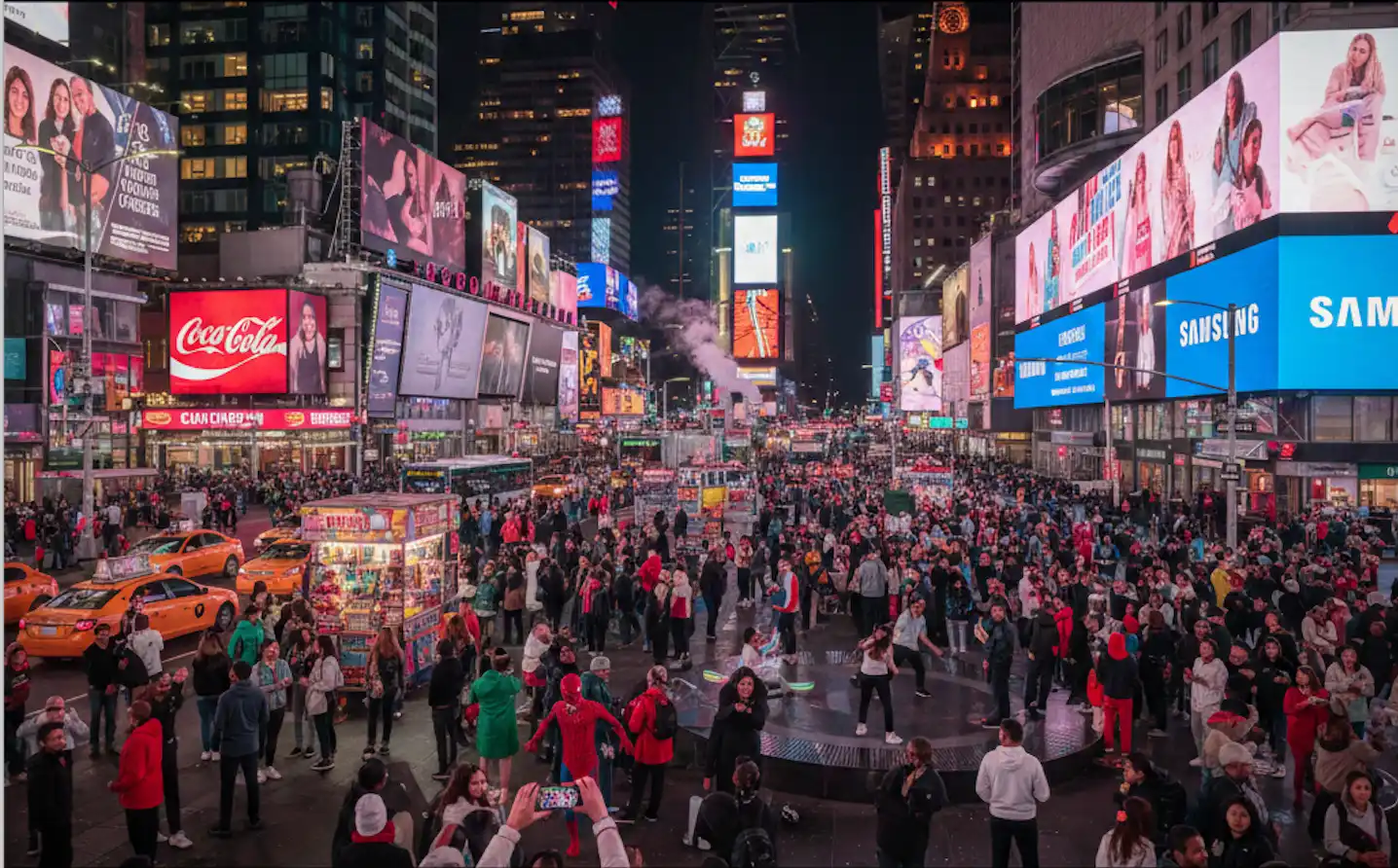
Before AI tourist removal on a crowded landmark travel photo with blocked foreground
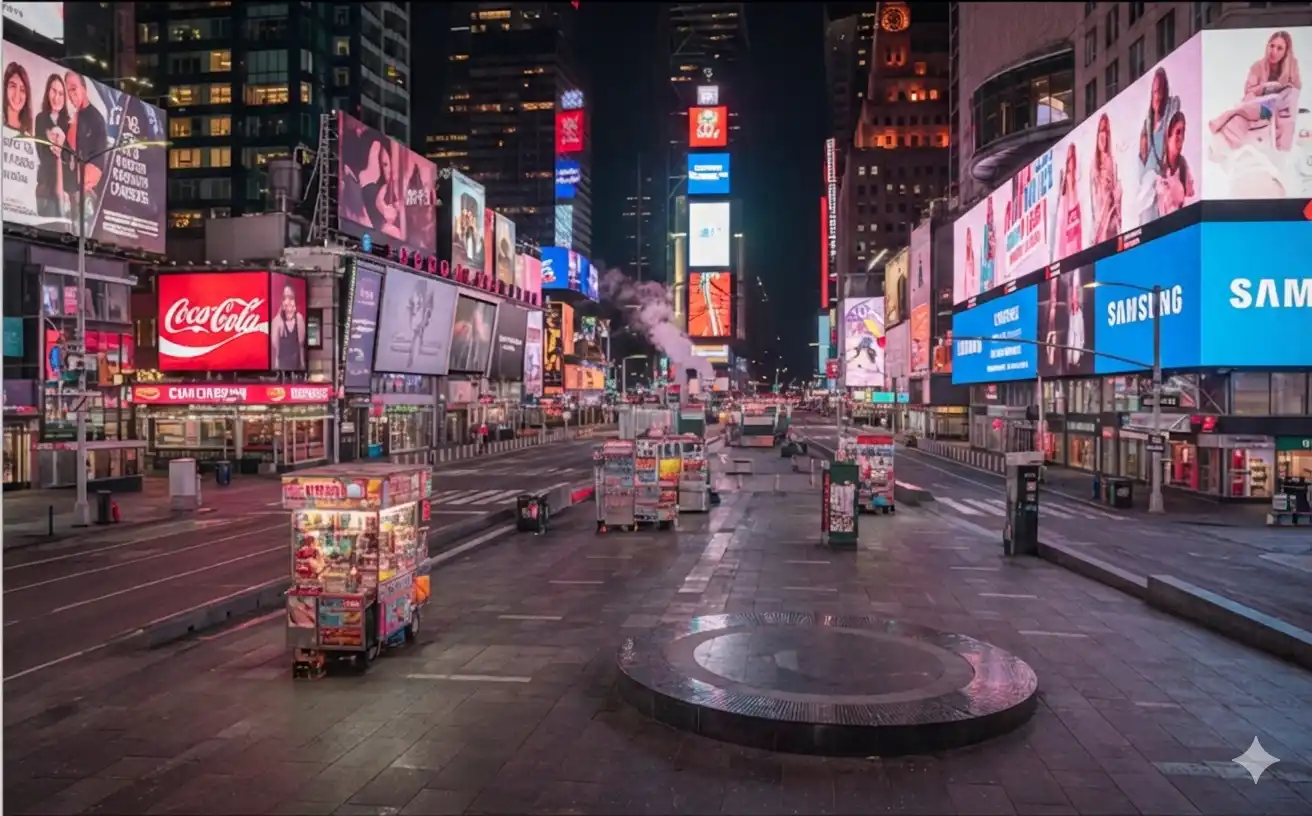
Before
After AI removes tourists from a landmark photo while preserving stone details and perspective
After

Single Seated Person in a Scenic Shot

Input issue: one person is sitting in the frame and should be removed. Mask strategy: fully cover that person, then run AI edit once. Typical result: this case often succeeds in one pass; if a small remnant remains, re-mask that area and run one more pass.

Before removing passersby from a scenic trail photo with interrupted leading lines
Before
After AI cleanup removes passersby from scenic trail photo and restores natural pathway texture
After

Keep the Family of Three in the Center

Input issue: the center family of three must stay, while side people should be removed. Mask strategy: only paint the left and right people; do not mask the center keep-zone. Generate strategy: run one pass first, then selectively re-mask side leftovers if needed. Success check: center family remains intact and side people are removed.

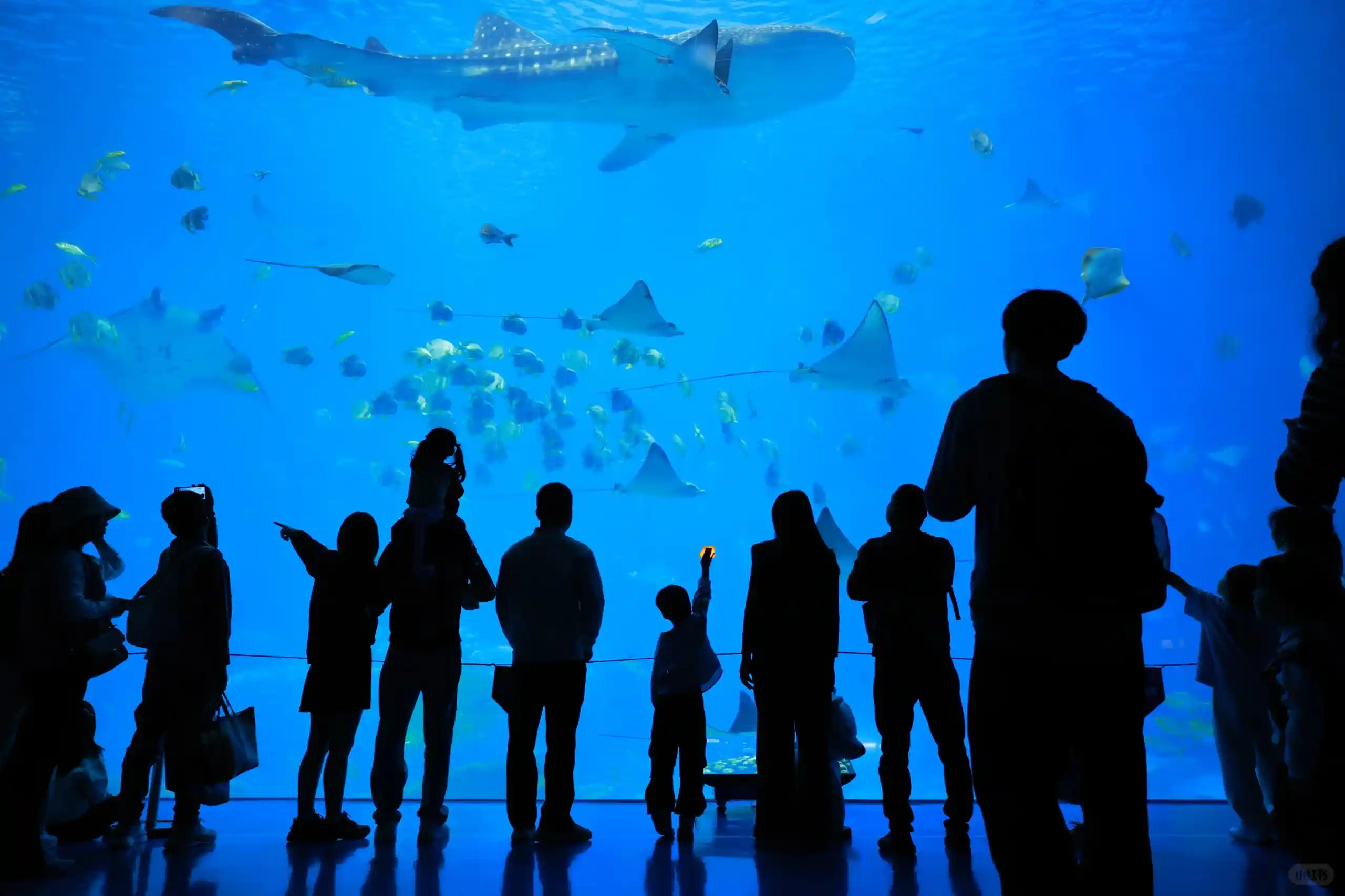
Before removing heavy tourist crowd occlusion at an aquarium viewing window photo spot
Before
After AI crowd removal clears aquarium window foreground while preserving background water texture
After

3 steps to remove tourists from photos

1

Fully mask target people

Define keep-zone vs remove-zone first. Fully paint people you want removed; do not paint subjects you need to keep.

2

Generate once and inspect

Run one generation pass and check the result. Single-person scenes often finish here; crowd scenes usually need another round.

3

Re-mask leftovers and regenerate

If any target people remain, mask only those leftovers and generate again. Multi-round cleanup is expected for dense crowds; switch to Pro when needed.

Occasional edits: start with Pack S/Pack M (credits never expire). Weekly edits: Monthly 250 is usually the better value.

Unlock Pro and Original Downloads

Choose one-time packs for low-frequency work, or subscribe monthly for recurring usage.

Pack S

Low entry, try paid

$3.99/once
12 estimated images
50 credits
≈12 Fast or 5 Pro
  • 50 credits
  • Unlock Pro model
  • Download Original (no compression)
  • Credits never expire
MOST POPULARBEST VALUE

Pack M

Most popular one-time pack

$9.99/once
50 estimated images
200 credits
≈50 Fast or 20 Pro
  • 200 credits
  • Unlock Pro model
  • Download Original (no compression)
  • Credits never expire

Pro Monthly

Best for frequent usage

$9.99/month
62 estimated images
250 credits
≈62 Fast or 25 Pro
  • 250 credits per month
  • Renews monthly
  • Unlock Pro model
  • Download Original (no compression)
  • Monthly credits top-up
  • Cancel anytime

One-time packs never expire. Monthly refills 250 credits every billing cycle.

30-day money-back guarantee

Remove Tourists FAQ

Yes. In very crowded landmarks, one pass may not clear everyone, and that is normal. Use large masks for main groups first, then re-mask remaining people and run additional rounds.